
To help our community, I’ve prepared a simple PHP script that handles this process for you.
Step 1: Get your API Key from Bing Webmaster Tools
Before using the script, you need to prove you own your website:
1. Log in to your Bing Webmaster Tools account.
2. Navigate to the IndexNow section.
3. Click on Generate API Key.
4. Download the API key as a .txt file (e.g., 8b76bc87e7ec4a3695b275f202555.txt) and upload it to the root directory of your website.
Step 2: The IndexNow PHP Script
Create a new file on your server (e.g., indexnow.php) and paste the following code created by me. Make sure to update the host, key, keyLocation, and urlList with your own details.
- Important: Every link in the list must be followed by a comma (,), except for the very last link in the list.
Code: Select all
<?php
$data = [
    "host" => "YOURWEBSITE.COM", // Change to your domain
    "key" => "YOUR_GENERATED_BING_KEY", // Your Bing API Key
    "keyLocation" => "https://YOURWEBSITE.COM/YOUR_KEY_FILE.txt", // Link to the txt file
    "urlList" => [
        // Add the links you want to index here
        "https://beautiful-romania.com/viewtopic.php?t=13",
        "https://beautiful-romania.com/viewtopic.php?t=17",
        "https://beautiful-romania.com/viewtopic.php?t=19"
    ]
];

$ch = curl_init('https://api.indexnow.org/indexnow');
curl_setopt($ch, CURLOPT_HTTPHEADER, ['Content-Type: application/json; charset=utf-8']);
curl_setopt($ch, CURLOPT_POST, 1);
curl_setopt($ch, CURLOPT_POSTFIELDS, json_encode($data));
curl_setopt($ch, CURLOPT_RETURNTRANSFER, true);

$response = curl_exec($ch);
$httpCode = curl_getinfo($ch, CURLINFO_HTTP_CODE);
curl_close($ch);

echo "Status HTTP: " . $httpCode;
if ($httpCode == 200) {
    echo " - Success! ALL " . count($data['urlList']) . " links have been sent.";
} else {
    echo " - Error. Status code: " . $httpCode;
}
?>
Once you have added your new links to the `$urlList` array (Up to 10.000 links), simply access the file in your browser:
https://yourwebsite.com/indexnow.php
Friendly Tip: If you have a Sitemap, just copy the links from there and paste them between quotes in the script to save time and avoid typos!
The Quotes: Every single link must be enclosed in double quotes " " exacly like in the example from the code
 .
.If you see **Status HTTP: 200**, it means the search engines have successfully received your links and will prioritize them for indexing!
- **Note:** Remember to update the `$urlList` every time you have new content you want to index quickly.
The beauty of this script is that you only need to run it once. IndexNow is a shared protocol, which means:
- Bing & Yandex: Once you submit your links to the IndexNow API, they are automatically shared between these major search engines.
- Automatic Synchronization: Other search engines that adopt the IndexNow standard will also receive your updates instantly from this single request.
Step 4: Verification (What Success Looks Like)
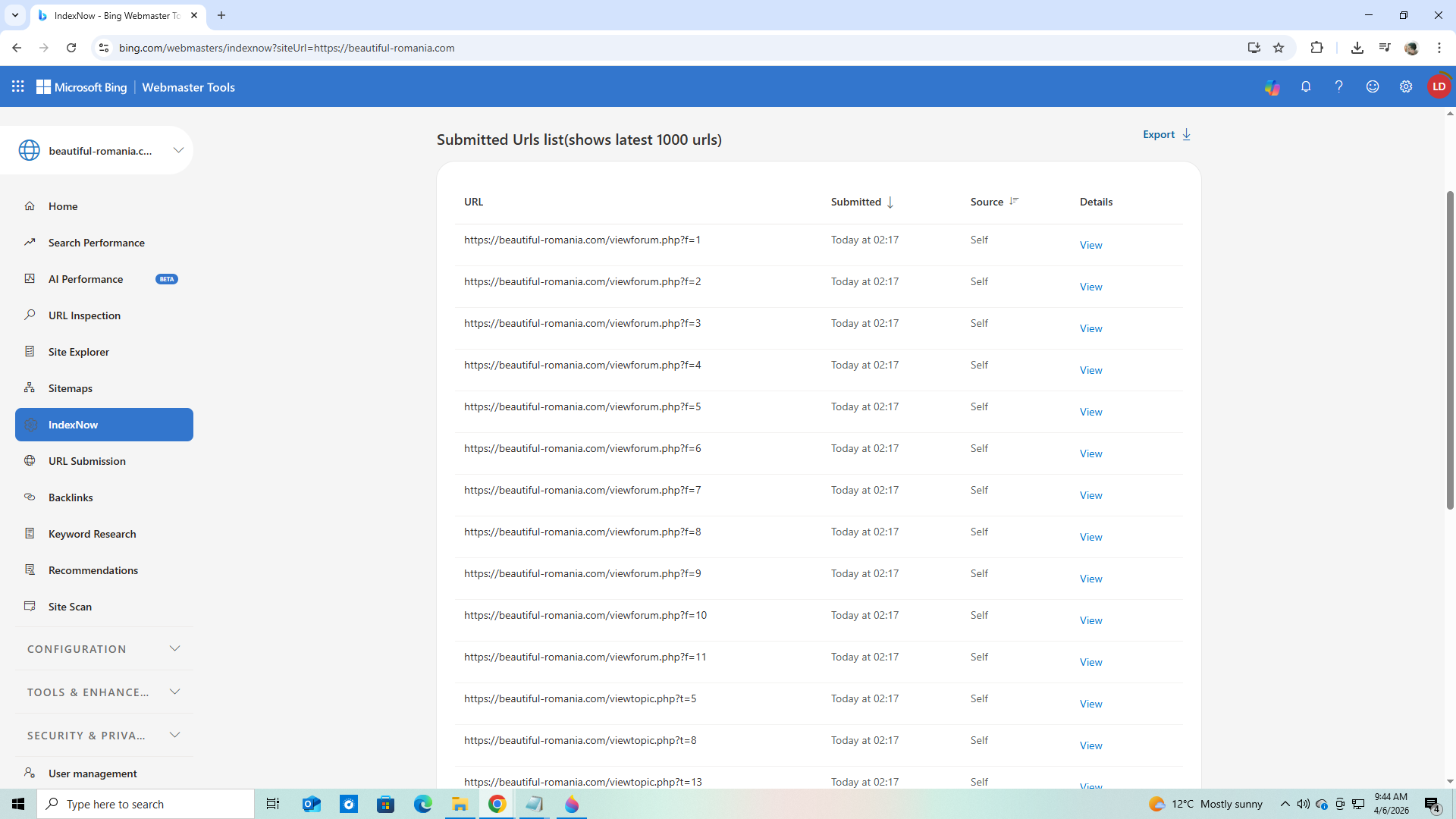
After running the PHP script, you should see a "Status HTTP: 200" message. To confirm that search engines have processed your links, you can log back into Bing Webmaster Tools.
Go to the IndexNow section, and you will see a list of your submitted links. It will look like this:
If you need more help with that, reply here and I will help you.
