
Here is a comprehensive guide on how to block them at the server level and secure your platform.
1. The Server-Level Shield (.htaccess)
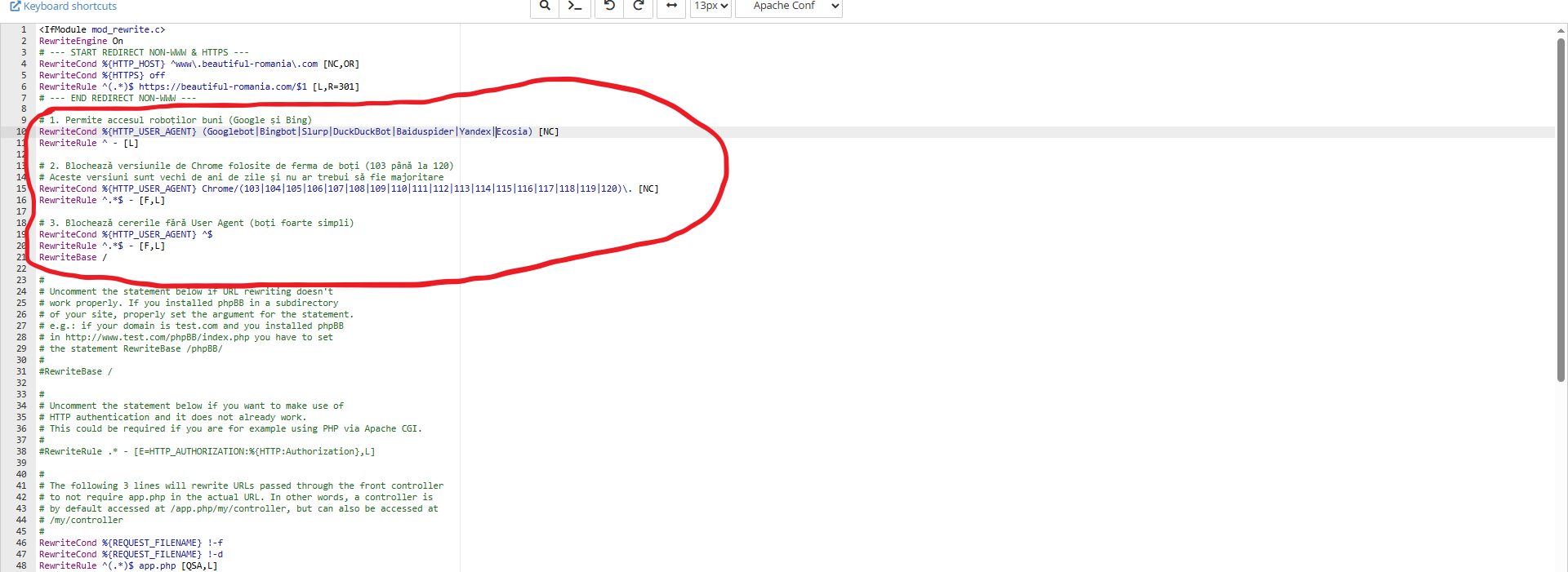
The most efficient way to stop bots is at the "gate," before they even reach your website's scripts. If you are using an Apache server, you can add these rules to your .htaccess file (code below).
Important Note: Finding your .htaccess file
Before you begin, please keep in mind:
- Location: The .htaccess file is located in the root directory of your website (usually public_html, www, or the main folder where your forum is installed).
- Hidden Status: Because the filename starts with a dot, it is considered a hidden file.
- In cPanel File Manager: Click on "Settings" in the top right corner and check the box that says "Show Hidden Files (dotfiles)".
- In FTP clients (like FileZilla): Go to the "Server" menu and select "Force showing hidden files".
This method works for any platform (phpBB, WordPress, or custom sites).
Code: Select all
RewriteEngine On

# 1. ALLOW GOOD BOTS (SEO)
# We ensure that essential search engines are never blocked.
RewriteCond %{HTTP_USER_AGENT} (Googlebot|Bingbot|Yandex|Slurp|Ecosia|DuckDuckBot|Baiduspider) [NC]
RewriteRule ^ - [L]

# 2. BLOCK OUTDATED CHROME VERSIONS (Bot Farms)
# Real users in 2026 do not use Chrome 103-120. These are almost exclusively bots.
RewriteCond %{HTTP_USER_AGENT} Chrome/(103|104|105|106|107|108|109|110|111|112|113|114|115|116|117|118|119|120)\. [NC]
RewriteRule ^.*$ - [F,L]

# 3. BLOCK EMPTY USER AGENTS
# Blocks primitive scripts that don't identify themselves.
RewriteCond %{HTTP_USER_AGENT} ^$
RewriteRule ^.*$ - [F,L]
2. Hardening phpBB Security
If you are running a phpBB forum (like version 3.3.15), you should also adjust your internal settings to handle persistent guest sessions.
- Go to ACP > General > Server Configuration > Security Settings:
- Session IP validation: Set to All. This prevents bots from hopping between different IP addresses within the same session.
- Validate browser: Set to Yes. It adds an extra layer of verification for the User-Agent string.
- Check IP against DNS Blackhole List: Set to Yes. This checks the visitor's IP against global spam databases (Spamcop/Spamhaus).
- Tie forms to guest sessions: Set to Yes. This is crucial to prevent bots from submitting search or registration forms without a valid session.
- Server Performance: By blocking bots in .htaccess, your server doesn't waste CPU and RAM processing fake requests.
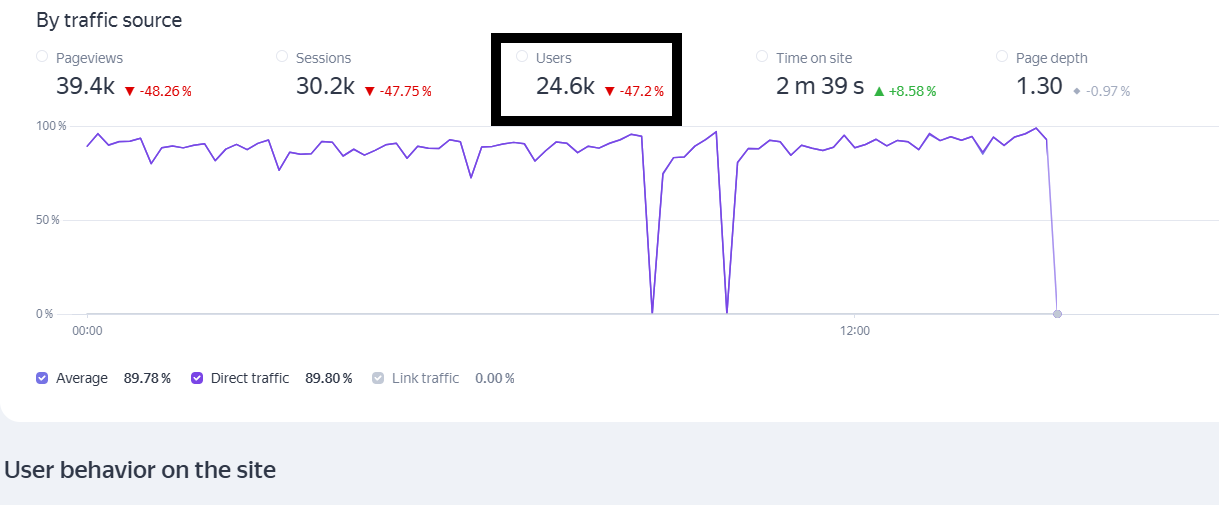
- Data Accuracy: Your Analytics will finally show real human engagement instead of thousands of 0-second bounces.
- SEO Safety: By explicitly allowing "Good Bots" (Google, Bing, Yandex, etc.), your search engine rankings remain unaffected while the "garbage" traffic is filtered out.
Admin Notes:
- Always back up your .htaccess file before making changes and test your site in a modern browser to ensure you haven't accidentally blocked yourself!
- This metod will reduce bad bot traffic with at least 50%.
- If you need more help with this anti-bot implementation, just reply here, and i will help you.
